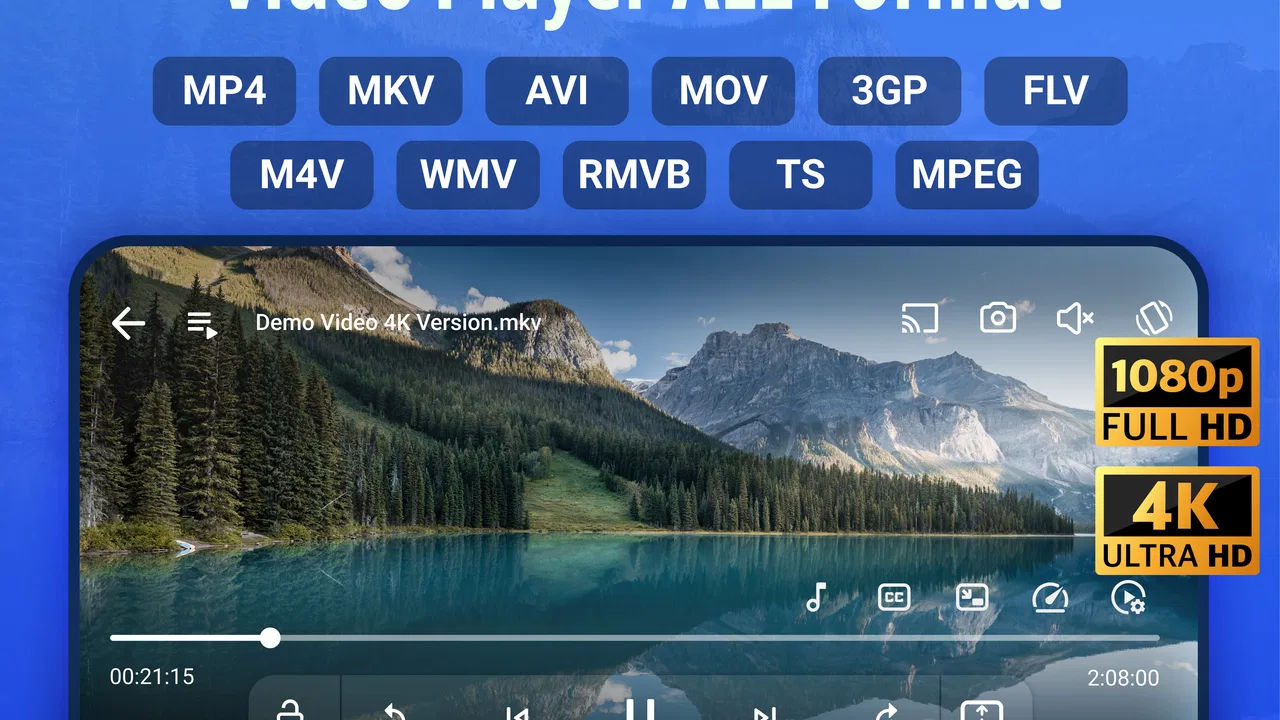
Video Player All Format
- 4.8
- Rating
- 1.00M
- Installs
- Free
- Price

 Analysis by App-foxy
I tested Video Player All Format as the kind of app people often install for a very practical reason: the phone or tablet has videos scattered across different folders, and the default player does not always handle them comfortably. In my experience, its appeal is less about replacing every media service and more about making local video playback easier, especially when one Android device is used by several people in the same home.
The app comes from Arc Video Player and sits in the video players and editors category. It is free to install, suitable for Everyone, and has reached over a million installs. Its average rating is 4.8 from roughly seventy-four thousand ratings, which suggests that its straightforward purpose has connected with a broad audience. The current release is version 1.3.3.125, and it works on Android 6.0 or later.
That combination makes it easy to understand why I would recommend trying it before paying for a more complicated media tool. It focuses on watching videos in many formats, including high-resolution material, while also offering a private folder and background playback. Those features sound simple, but they matter in a shared-device household where the same screen may be used for a child’s downloaded cartoon, a personal recording, a lesson, or a long video someone wants to listen to while doing chores.
You May Also Like

 Blood Strike: 2.5 Anniversary
Blood Strike’s Loadouts Turn Every Drop Into a Tactical Gamble
A close look at Blood Strike’s custom loadouts: how fast access to signature weapons reshapes its battle royale rhythm, rewards preparation, and narrows the gap between fights.

 Pandora - Music & Podcasts
Pandora’s Music Is Easy to Start, but Harder to Recover
Pandora’s strength is its low-effort path from a seed to a station. Its weak spot is how much confidence it asks you to place in connection, setup, and quiet recovery.

 8 Ball Pool
 Is Built on Rivalries, Rematches, and Routine
A close look at the rivalries, rematches, shared routines, and unanswered safety questions that turn a quick pool match into a persistent mobile community.

 Samsung Music
’s Quiet Strength Is Playing What You Already Own
Its reach comes less from spectacle than from dependable access to a personal library. That simplicity is both the app’s strongest retention engine and its ceiling.

 AccuWeather: Weather Radar
AccuWeather Review: A Quick, Clear Forecast for Everyday Decisions
For everyday plans, the best forecast is the one you can understand quickly. AccuWeather makes rain timing, radar, and local conditions easy to act on, with a few trade-offs.

 Hill Climb Racing
Why Hill Climb Racing Still Turns Crashes Into One More Run
A tiny car, a bumpy hill and one more upgrade: Hill Climb Racing keeps resurfacing because its simple chaos makes every near-miss feel personal.
More From Our News Desk



How it fits into a shared household
The most realistic use case is a family tablet or a spare Android phone that moves around the house. One person may use it for offline clips during a journey, another may keep recordings on it, and someone else may want to play a long video without holding the screen the entire time. A dedicated local player reduces the need to remember which application created a file or whether the default gallery can open it.
I found the app most useful when I treated it as a central viewing point for locally stored videos rather than as a replacement for every streaming service. If a household already watches content through subscription platforms, those services still make more sense for their own catalogs. Arc Video Player becomes valuable when the file is already on the device and the main problem is reliable access.
That distinction is important. A local video player does not organize a family’s subscriptions, synchronize watch progress between different accounts, or turn a shared tablet into a full media server. What it can do is give people a consistent way to open compatible files. For a household that regularly receives videos through messaging apps, transfers recordings from another device, or stores offline material, that consistency is often more useful than a long list of advanced streaming features.
In a typical evening scenario, I could see one person using background play for a long spoken video while preparing dinner, then handing the device to another family member who opens a saved clip in the same app. The private folder is more relevant when the device is shared but not every recording should appear alongside general household videos. I would still regard that as a convenience layer, not a substitute for separate user accounts or device-level privacy.
What the first setup tells you
The first thing I would do after installing it is open a few representative files rather than assuming every video will behave identically. Try a short clip, a high-definition recording, and a file that previously caused trouble in another player. This quickly shows whether the app fits the household’s actual library instead of an imagined one.
Because the app supports Android 6.0 and later, it can be considered for older devices that are no longer eligible for many newer applications. That is helpful for a hand-me-down tablet, although playback quality will still depend on the device’s processor, display, storage speed, and the video itself. Support for a format does not magically make demanding footage smooth on weak hardware.
I also recommend deciding early which videos belong in the private folder and which should remain available for everyone. This is a small organizational habit, but it prevents the shared library from becoming a confusing mixture of personal recordings, children’s content, and temporary downloads. The private folder works best when its purpose is clear from the beginning.
The free entry point is another practical advantage. You can install the app and judge its behavior with your own files before considering any paid extras. In-app purchases range from $3.99 to $9.99 per item, so I would avoid treating them as part of the basic setup. First establish whether the free experience already covers the way your household watches videos.
Boundaries matter more than a crowded feature list
A shared device creates boundaries that a normal personal phone does not. The app can help separate private videos from the general viewing area, but it does not remove the need for household rules. I would not hand a young child unrestricted access to a tablet simply because a private folder exists. A folder can hide selected content from casual browsing, but it should not be confused with parental supervision, a child profile, or a complete access-control system.
This is one of the most important trade-offs. The private folder is useful for reducing accidental exposure when someone else opens the player, yet trust still depends on the device’s wider security and on how the app is used. If the tablet is frequently passed between adults and children, a screen lock and sensible storage habits remain essential. I would also avoid placing highly sensitive material on a device that many people can unlock.
For adults sharing a device, the folder can be a tidy way to keep personal recordings away from a common queue. For children, I would use it mainly as an organizational feature and keep expectations realistic. If your priority is strict separation between users, a device with individual profiles or a purpose-built family media setup will be a better fit than relying on one video player.
There is also a simple coordination issue: everyone should know where ordinary videos are supposed to go. Without that agreement, one person may move files into the private area, another may search the general library, and a third may assume a video was deleted. A short household rule such as “shared clips stay in the main area, personal recordings go into the private folder” can prevent more confusion than another setting buried in an app menu.
Background playback in real daily routines
Background play is the feature I would notice most outside the living room. It changes the app from a screen-only viewer into something that can accompany a routine. A lecture, interview, music performance, language exercise, or spoken tutorial can continue while the phone is not being actively watched.
That is especially useful on a shared tablet when one person wants to listen but another person needs the screen for something else. It can also make a long video less awkward during cooking, cleaning, or travel preparation. The practical tip is to use it for material where the audio carries most of the value. It is not a replacement for watching visual demonstrations, subtitles, or detailed instructions.
Background playback also introduces a small household etiquette question. If several people use the same device, the next person may wonder why audio starts unexpectedly or why the battery has dropped after a long session. I would stop playback fully before passing the device on and check the volume before starting a video in a quiet room. These are minor habits, but they matter more when one device serves multiple people.
Compared with a standard gallery player, background play gives this app a clear reason to exist. Compared with a dedicated audio application, however, it remains centered on video files. If your main purpose is music or podcasts, a service designed around audio may offer better discovery, playlists, and account handling. I would choose Arc Video Player when the source is a video file and I occasionally want to listen without keeping the display active.
High-resolution playback and everyday hardware
The support for 4K and HD playback is attractive for people who keep high-quality recordings on their devices. It is useful for checking footage from a modern phone, reviewing a family video, or watching a downloaded file at its intended quality. Still, the label should be read as playback capability, not as a promise that every older phone will decode every demanding file perfectly.
My advice is to judge the experience at the actual resolution you use. A newer tablet connected to a good display may show the benefit of a high-resolution file, while an older budget phone may gain little from it and may struggle with heavy encoding. If a video stutters, drains the battery quickly, or makes the device warm, the limitation may be the hardware or the file rather than the player alone.
Storage is another household consideration. High-quality videos occupy more space, and a shared device can fill quickly when several people copy recordings onto it. I would periodically remove duplicates and temporary downloads, especially after a trip or school project. A player can make files easier to open, but it cannot solve a crowded storage system.
This is also where the app compares favorably with a basic gallery but less decisively with specialized desktop software. On a phone, convenience matters more than exhaustive production controls. If you need to edit, transcode, color-correct, or manage a professional archive, a video editor or computer-based tool is the more appropriate choice. Arc Video Player is aimed at watching, not at turning a mobile device into a post-production workstation.
Keeping coordination simple
Household coordination works best when the app is used alongside a clear file routine. I would create a small set of recognizable folders outside the player, such as shared clips, personal recordings, and temporary travel videos, then use the private folder only for material that genuinely needs separation. This avoids making the private area a dumping ground.
File names also matter more than people expect. A recording called “video final new” is difficult to identify when several relatives use the same device. Adding a date or a short subject makes the library easier to navigate later. This is not a special feature of the app, but it is one of the most useful ways to get more value from a local player.
For a shared tablet, I would agree on who is allowed to move or remove files. A child may only need to open videos, while an adult manages storage and the private area. If everyone can reorganize the library freely, the player may appear unreliable simply because files keep moving. The app provides the viewing surface; the household still needs a simple system behind it.
One non-obvious advantage of a dedicated player is that it can reduce arguments about which app should open a file. Instead of trying several gallery, messaging, and cloud applications, family members have one familiar place to start. That is not glamorous, but it saves time when someone needs to show a recording quickly or when a transferred file does not open in the default application.
Age, trust, and appropriate expectations
The Everyone content rating makes the app broadly suitable as software, but that does not classify every video stored on a device. The rating applies to the application experience, not to the personal files a household chooses to copy into it. Parents and guardians should therefore consider the library itself, the device lock, and who can access the storage.
For younger users, I would keep the main video area limited to material the family has already selected. The app may make playback convenient, but convenience can also make unsuitable files easier to open if the device is not organized carefully. A separate child-oriented environment remains preferable when supervision and content filtering are central requirements.
For teenagers and adults, the private folder may provide a reasonable layer of personal organization on a shared device. I would explain what it is intended to do and avoid promising absolute secrecy. Trust is clearer when everyone understands that a folder is a boundary for casual browsing, while the device’s broader security determines who can ultimately reach stored content.
This is also why I would hesitate to use the app as the sole solution for sensitive work recordings, confidential documents embedded in videos, or material that must be protected under strict rules. Its everyday value is strongest in ordinary household sharing, not in situations that demand audited access controls or managed accounts.
Where it beats the usual alternatives
The default gallery is often fine for a quick phone recording, but it may be inconsistent when a device contains many formats or when the user wants background playback. A streaming service is better for discovering licensed content, but it is not designed around the local files already sitting in your storage. Arc Video Player occupies the useful middle ground: a focused local viewer with features that make repeated playback more comfortable.
Compared with more elaborate third-party media players, its appeal is approachability. I would choose it for a family member who wants to tap a video and watch it without learning a large control system. The trade-off is that people seeking deep library management, network streaming, extensive subtitle customization, or a full desktop-style media center may prefer a more specialized alternative.
Compared with the default player, the private folder and background play give it a stronger household role. Compared with a full media-management application, it is easier to justify on a modest Android device because the purpose remains clear. The best choice depends on whether your problem is simply opening local videos or managing an entire multi-device collection.
There is no reason for an iPhone user to assume this particular release is interchangeable with an iOS player, because the stated minimum operating system is Android 6.0 and the product information identifies it within the Android app environment. For someone choosing a device specifically for this application, I would look at Android compatibility first rather than expecting the same experience across platforms.
Who should install it and who should skip it
I think it is a strong candidate for Android users who keep local videos, share a tablet at home, need a player for varied formats, or want to listen to video audio in the background. It is also sensible for owners of older compatible devices who want a focused player instead of a large media suite. The free installation makes testing low-risk, and the broad age rating makes the software approachable for a general household.
I would skip it if nearly all your viewing happens inside streaming services and you rarely open downloaded files. In that situation, your existing services probably already handle discovery, profiles, and watch history better. I would also look elsewhere if you need strict child accounts, synchronized libraries across several devices, professional editing, or detailed media-server features.
Before spending on an in-app purchase, I would use the free version with the exact files and routines that matter to you. Test a high-resolution recording, try background playback, check how the private folder fits your sharing habits, and see whether the device remains comfortable during longer sessions. That short trial tells you more than a generic feature checklist.
After using it in a shared-device context, my view is that Video Player All Format is at its best when it stays simple: one dependable place for local videos, with enough privacy and background listening to make household use less awkward. It does not replace parental controls, separate accounts, or a complete media library. But for families and individuals who need a practical Android player for stored videos, it offers a clear, useful balance between convenience and control.
Arc Video Player has made a focused tool rather than an all-purpose entertainment platform. That focus is its main strength. If your home regularly passes one Android device between people and local video files are part of that routine, I would recommend giving it a try. Just set sensible boundaries around the private folder, keep the library organized, and judge high-resolution playback on your own hardware. With those expectations, the app feels much more useful than its short description suggests.
FAQs for Video Player All Format
01What video formats does Video Player All Format support?
Video Player All Format is known for its extensive compatibility with a wide range of video formats. It supports popular formats such as MP4, AVI, MKV, MOV, and FLV. Additionally, it can handle high-definition formats like 4K and Ultra HD, ensuring users can play virtually any video without the need for additional codecs.
02Does Video Player All Format offer subtitle support?
Yes, Video Player All Format includes robust subtitle support. Users can easily load external subtitle files in various formats such as SRT, SSA, and ASS. The app also allows customization of subtitle appearance, including font size and color, ensuring a smooth viewing experience tailored to user preferences.
03Is Video Player All Format free to use, or are there in-app purchases?
Video Player All Format is available as a free download, offering a range of features at no cost. However, it may include in-app purchases or ads to unlock additional features or enhance the user experience. These may include ad-free playback, advanced playback controls, or premium themes.
04Can I use Video Player All Format to stream videos online?
Yes, Video Player All Format supports online streaming from various sources. Users can input video URLs to stream content directly through the app. This feature is particularly useful for accessing online media without needing to download files, making it versatile for both local and online video playback.
05Does Video Player All Format have any privacy concerns?
Video Player All Format takes user privacy seriously, typically requiring minimal permissions. It may request access to storage for file management or network permissions for streaming. Always review the permissions and privacy policy to ensure it aligns with your privacy preferences before installation.
Pros
- Supports a wide range of video formats.
- User-friendly interface with intuitive controls.
- Offline video playback capability.
- High-quality video streaming with minimal buffering.
- Customizable playback settings.
Cons
- Contains ads that can interrupt viewing.
- Limited features in the free version.
- Requires in-app purchases for advanced tools.
- May drain battery quickly during playback.
- Occasional bugs with certain video formats.

Video Player All Format
Gallery